在word中插入图片的方法
时间:2024-06-22 18:55:31
来源:网络
浏览:8次
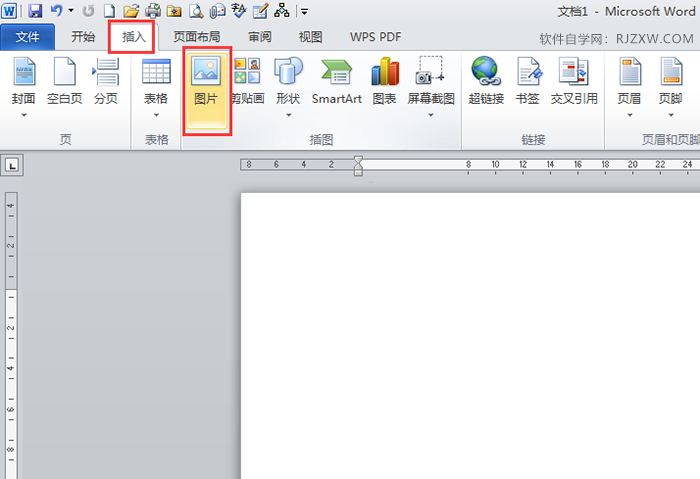
1、点击插入“菜单”--点击“图片”。
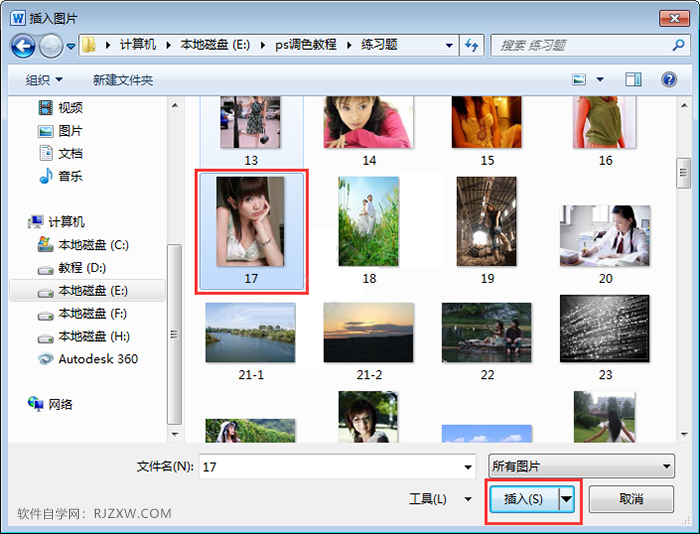
2、弹出插入图片对话框,点击要插入的图片,点击“插入”。
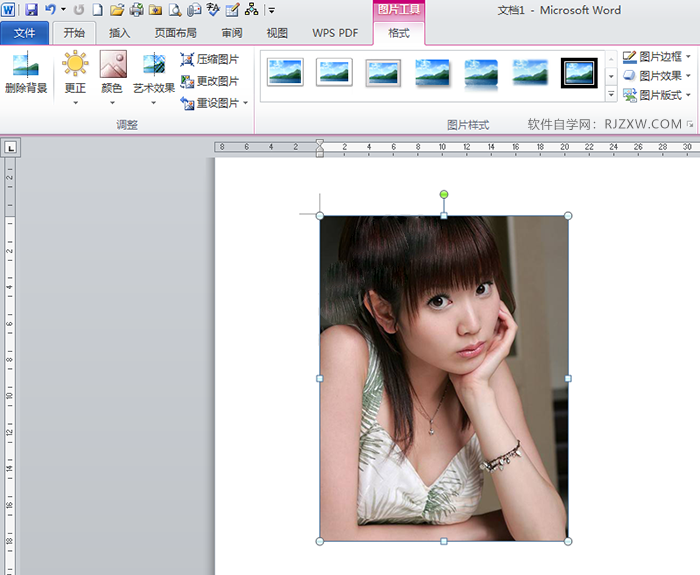
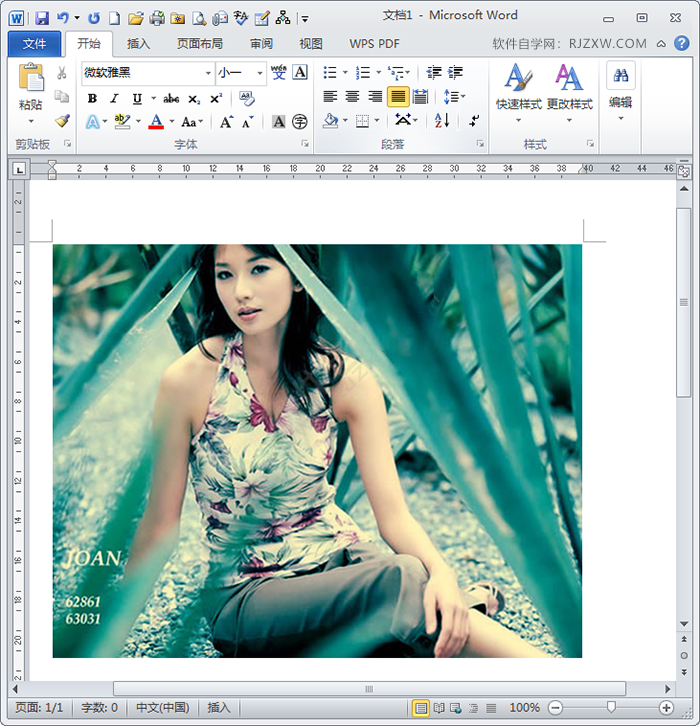
3、图片就插入到了文档中。效果如下:
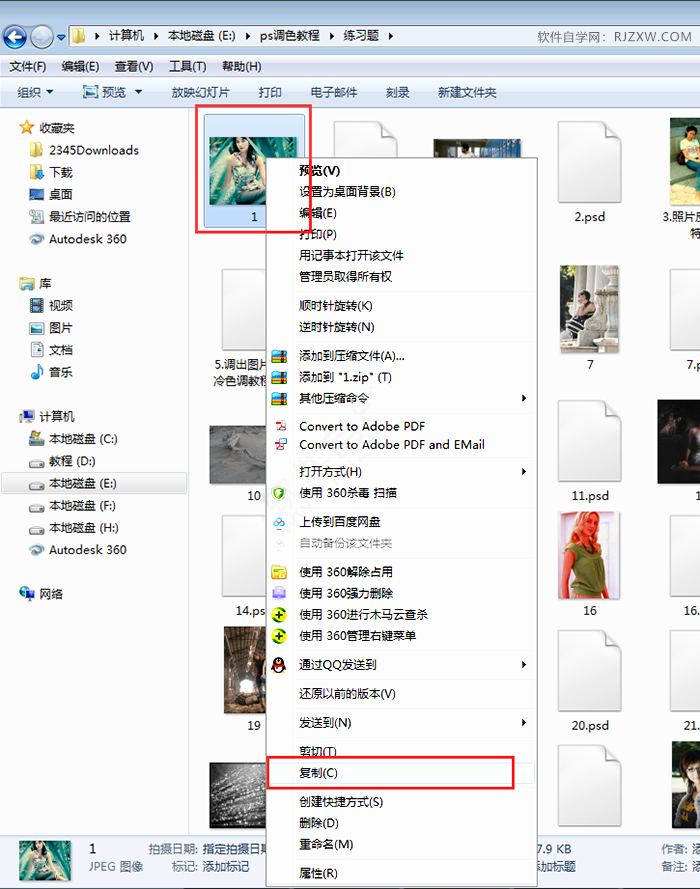
4、另一种方法,打开计算机里面的图片,右击选择复制。
5、返回word软件中,点击开始菜单--粘贴功能。
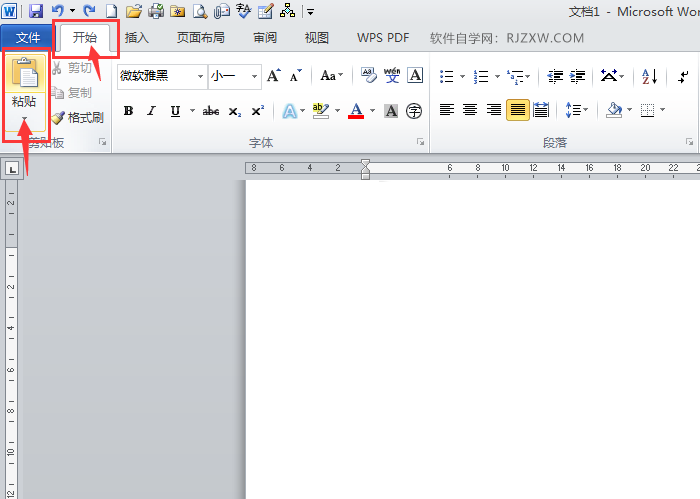
6、图片就会复制粘贴到WORD中。

1、点击插入“菜单”--点击“图片”。
2、弹出插入图片对话框,点击要插入的图片,点击“插入”。
3、图片就插入到了文档中。效果如下:
4、另一种方法,打开计算机里面的图片,右击选择复制。
5、返回word软件中,点击开始菜单--粘贴功能。
6、图片就会复制粘贴到WORD中。


